
Learning iPad Programming


Proud to be B-Corp
The feel-good place to buy books
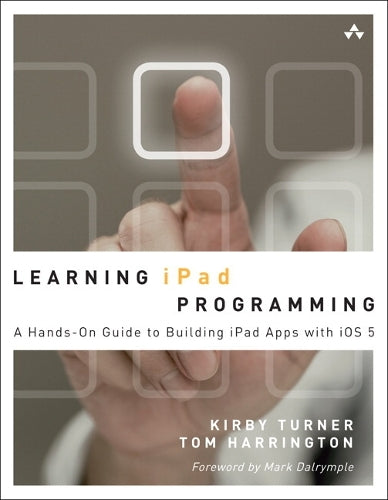
Learning iPad Programming by Kirby Turner
Learning iPad Programming walks you through the process of building PhotoWheel (free on the App Store), a photo management and sharing app that leverages every aspect of iOS 5. With PhotoWheel, you can organize your favorite photos into albums, share photos with family and friends, view them on your TV using AirPlay and an Apple TV, and most importantly, gain hands-on experience with building an iPad app. As you build PhotoWheel, you'll learn how to take advantage of the latest features in iOS 5 and Xcode, including Storyboarding, Automatic Reference Counting (ARC), and iCloud. Best of all, you'll learn how to extend the boundaries of your app by communicating with web services. If you want to build apps for the iPad, Learning iPad Programming is the one book to get. As you build PhotoWheel, you'll learn how to Install and configure Xcode 4.2 on your Mac Master the basics of Objective-C, and learn about memory management with ARC Build a fully functional app that uses Core Data and iCloud for photo sharing and synchronization Use Xcode's new Storyboard feature to quickly prototype a functional UI, and then extend that UI with code Create multitouch gestures and integrate Core Animation for a unique UI experience Build custom views, and use view controllers to perform custom view transitions Add AirPrint, email, and AirPlay capabilities to your app Apply image filters and effects using Core Image Diagnose and fix bugs with Instruments Prepare your app for submission to the app store Download the free version of PhotoWheel from the App Store today! Share your photos with friends and upload to iCloud, all while learning how to build the app.-From the Foreword by Mark Dalrymple
This amazing, thorough book takes an interesting approach by working through the design and development of a simple, yet realistic iPad app from start to finish. It is refreshing to see a technical book that explains how and why without inundating you with endless toy examples or throwing you into a sea of mind-numbing details. Particularly amazing is that it does this without assuming a large amount of experience at first. Yet it covers advanced topics at sufficient depth and in a logical order for all developers to get plenty of valuable information and insight. Kirby and Tom know this material and have done a great job of introducing the various frameworks and the reasoning behind how, why, and when you would use them. I highly recommend Learning iPad Programming to anyone interested in developing for this amazing platform.
-Julio Barros
E-String.com
This is a great introduction to iPad programming with a well-done sample project built throughout. It's great for beginners as well as those familiar with iPhone development looking to learn the differences in developing for the larger screen.
-Patrick Burleson
Owner, BitBQ LLC (http://bitbq.com)
Kirby Turner and Tom Harrington's Learning iPad Programming provides a comprehensive introduction to one of today's hottest topics. It's a great read for the aspiring iPad programmer.
-Robert Clair
Author, Learning Objective-C 2.0
Learning iPad Programming is now my go-to reference when developing apps for the iPad. This book is an absolute treasure trove of useful information and tips for developing on the iPad. While it's easy to think of the iPad as just a bigger iPhone, there are specific topics that need to be treated differently on the iPad, such as making best use of the larger display. Learning iPad Programming provides an incredible amount of depth on all areas of iPad programming and takes you from design to fully functioning application-which for me is a killer feature of the book. This should be in everyone's reference library.
-Mike Daley
Author, Learning iOS Game Programming
Cofounder, 71Squared.com
A truly well-rounded book with something for every iOS developer, be they aspirant or veteran. If you are new to iOS, there is a solid foundation provided in Part I that will walk you through Objective-C, the core Apple frameworks, provisioning profiles, and making the best of Xcode. If you've been around the block but want solid insight into iPad programming, Part II has you covered: Rather than just providing canned example code, Kirby and Tom give you real code that incrementally builds and improves a real app. And if you've been working with iOS for a while, but would benefit from a walk-through of the plethora of new features that have come our way with iOS 5 and Xcode 4, dive into the chapters on Storyboards, iCloud, and Core Image. Best of all, the book is well-written and conversational, making it a joy to read. This book is stellar.
-Alexis Goldstein
Coauthor, HTML5 & CSS3 for the Real World
Learning iPad Programming is one of the most comprehensive resources on the planet for those developing for Apple's iPad platform. In addition to coverage of the language, frameworks, and tools, it dives into features new in iOS 5, like Automatic Reference Counting, Storyboarding, and connecting your applications with iCloud. But where this book really shines is in the tutorials and the application you will build as you read through this book. Rather than being a toy that employs only off-the-shelf iOS user interface components from Interface Builder, the PhotoWheel app demonstrates custom view programming and view controller containment, nonstandard gesture/user input handling, and provides insight into how a complex iOS project comprised of multiple subsystems is assembled into a shipping application. In other words, Learning iPad Programming shows how to deal with the challenges you'll face in real iPad development.
-Erik Price
Senior Software Engineer, Brightcove
A thoroughly crafted guide for learning and writing iOS applications, from the humble beginnings in Xcode and Interface Builder to creating a full-featured iPad application. There are many books that try to cover the gamut of knowledge required to take a reader from zero to app; Kirby and Tom have actually done it in this book. It is a fun and comprehensive guide to the world of developing apps for Apple's magical device.
-Rod Strougo
Founder, Prop Group
The iPad is changing the way we think about and use technology. Learning iPad Programming is one of the most in-depth and well-executed guides to get both new and seasoned developers up to speed on Apple's exciting new platform.
-Justin Williams
Crew Chief, Second Gear
Kirby Turner is an independent software developer and business owner focusing on Mac and iOS programming. He sells his own apps through his company White Peak Software, and he does contract programming when time allows. Follow Kirby on Twitter: @kirbyt.
Tom Harrington switched from writing software for embedded systems and Linux to Mac OS X in 2002 when he started Atomic Bird, LLC. After six years of developing highly regarded Mac software, Tom moved to iPhone in 2008. He develops iOS software on a contract basis and organizes iOS developer events in Colorado. Follow Tom on Twitter: @atomicbird.
| SKU | Nicht verfügbar |
| ISBN 13 | 9780321750402 |
| ISBN 10 | 0321750403 |
| Titel | Learning iPad Programming |
| Autor | Kirby Turner |
| Buchzustand | Nicht verfügbar |
| Bindungsart | Paperback |
| Verlag | Pearson Education (US) |
| Erscheinungsjahr | 2012-01-05 |
| Seitenanzahl | 792 |
| Hinweis auf dem Einband | Die Abbildung des Buches dient nur Illustrationszwecken, die tatsächliche Bindung, das Cover und die Auflage können sich davon unterscheiden. |
| Hinweis | Nicht verfügbar |