
Special Edition Using Microsoft Office Word 2007


Special Edition Using Microsoft Office Word 2007
Zusammenfassung
Helps you build skills to create the documents you need, and guidance for leveraging Word's most advanced features. This work enables you to come up to speed with Word 2007 Ribbon interface. It also lets you streamline document formatting with styles, templates, and themes, and collaborate with others using comments and tracked changes.
The feel-good place to buy books
- Free delivery in the UK
- Supporting authors with AuthorSHARE
- 100% recyclable packaging
- B Corp - kinder to people and planet
- Buy-back with World of Books - Sell Your Books
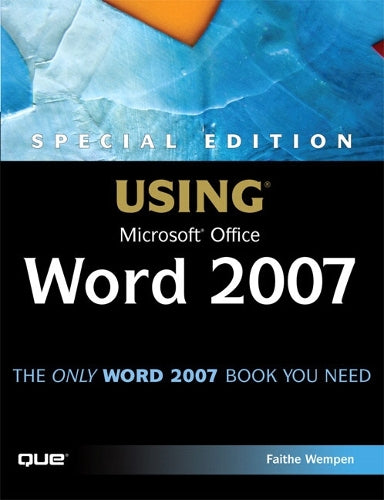
Special Edition Using Microsoft Office Word 2007 by Faithe Wempen
THE ONLY WORD 2007 BOOK YOU NEED This book will help you build solid skills to create the documents you need right now, and expert-level guidance for leveraging Word’s most advanced features whenever you need them. If you buy only one book on Word 2007, Special Edition Using Microsoft Office Word 2007 is the book you need. • Come up to speed quickly with the new Word 2007 Ribbon interface • Streamline document formatting with styles, templates, and themes • Collaborate with others using comments and tracked changes • Master mail merges, master documents, and other advanced features • Manage large documents with indexes, TOCs, and automatically numbered references • Use fields and forms to collect and manage information • Illustrate key concepts with SmartArt diagrams • Create and apply custom themes that control fonts, color schemes, and effects • Manage academic research citations and generate bibliographies in any popular documentation format On the Web Includes complete instructions and a command reference you can use to customize the Ribbon with RibbonX, even if you have little or no previous XML experience. You can also download additional RibbonX examples and an easy-to-use RibbonCustomizer utility from this book’s companion web site, www.quepublishing.com/usingword2007. Contents About the Authors xxx Introduction 1 Part I Working with Text Documents Chapter 1 Introducing Word 2007 7 Chapter 2 Creating and Saving Documents 27 Chapter 3 Typing and Editing Text 59 Chapter 4 Using Spelling, Grammar, and Research Tools 95 Chapter 5 Printing and Faxing Documents 133 Part II Formatting a Document Chapter 6 Applying Character Formatting 155 Chapter 7 Formatting Paragraphs and Lists 191 Chapter 8 Creating and Applying Styles and Themes 227 Chapter 9 Formatting Documents and Sections 263 Chapter 10 Using and Creating Project Templates 297 Chapter 11 Working with Nonstandard Document Layouts 319 Part III Tables and Graphics Chapter 12 Creating and Formatting Tables 353 Chapter 13 Working with Photos 395 Chapter 14 Working with Clip Art and the Clip Organizer 425 Chapter 15 Working with Drawings and WordArt 455 Chapter 16 Working with Charts 491 Chapter 17 Working with SmartArt and Math Formulas 533 Part IV Collecting and Managing Data Chapter 18 Performing Mail and Data Merges 563 Chapter 19 Copying, Linking, and Embedding Data 601 Chapter 20 Working with Fields 631 Chapter 21 Creating Forms 655 Part V Long Documents Chapter 22 Outlining and Summarizing Documents 681 Chapter 23 Using Master Documents 703 Chapter 24 Citing Sources and References 719 Chapter 25 Creating Tables of Contents and Other Listings 747 Chapter 26 Building Effective Indexes 765 Part VI Collaboration and Online Sharing Chapter 27 Collaborating with Others 783 Chapter 28 Protecting and Securing Documents 805 Chapter 29 Online Collaboration with Office Live and SharePoint Team Services 823 Chapter 30 Working with Blogs and Email 847 Chapter 31 Developing Web Content 857 Chapter 32 Using Word to Develop XML Content 875 Part VII Customizing and Extending Word Chapter 33 Macros and Add-Ins 905 Chapter 34 Customizing the Word Interface 935 Chapter 35 Customizing Word 2007’s Ribbon with RibbonX 945 Part VIII Appendixes Appendix A Recovering Files and Repairing Word 975 Appendix B Converting from Other Word Processing Systems 985 Appendix C Accessibility Tips and Techniques 991 Appendix D Command Reference: Word 2003 to Word 2007 999 Appendix E Setting Up and Modifying Office 2007 1017 Index 1025Faithe Wempen, M.A., is a Microsoft Office Master Instructor and an adjunct instructor of Computer Information Technology at Indiana University/Purdue University at Indianapolis, specializing in Microsoft Office and PC hardware. She is the author of more than 90 books on PC hardware and software, and teaches online courses in Office applications for corporate clients including Hewlett-Packard, Gateway, and Sony. She also owns and operates Sycamore Knoll Bed and Breakfast (www.sycamoreknoll.com).
About the Contributing Authors
Nicholas Chase has been involved in Web site development for companies such as Lucent Technologies, Sun Microsystems, Oracle, and the Tampa Bay Buccaneers. Nick has been a high-school physics teacher, a low-level radioactive waste facility manager, an online science fiction magazine editor, a multimedia engineer, an Oracle instructor, and the Chief Technology Officer of an interactive communications company. He is the author of several books, including XML Primer Plus (Sams), and is currently a partner in the Backstop Media technical content production firm (http://www.backstopmedia.com).
Kathy Jacobs, Microsoft MVP in PowerPoint and OneNote, has been using Office since its earliest days. She started out using Word for newsletters, letters, books, and other documents in the late 1980s. She added PowerPoint and Excel to her areas of expertise in the early 1990s. She has been an active beta tester for Office since the 2002 release, and has been working with Office 2007 for many months. Kathy specializes in helping people from all backgrounds and all walks of life learn to use Office to make their lives easier. As a PowerPoint and OneNote consultant, trainer, and writer, she has written on Office topics for her own site (www.OnPPT.com), Office On-Line, LockerGnome, IndeZine, and the PowerPoint FAQ. She presents regularly on a variety of subjects at the Phoenix PC User Group, where she is currently vice president. She has been actively involved in PPT Live (the PowerPoint conference for users) since its inception. She has written a PowerPoint book, Kathy Jacobs on PowerPoint, and co-written a OneNote book, Unleash the Power of OneNote. She is the creator of Keystone learning’s OneNote 2003 training DVD. Right now, she specializes in helping people solve their Office emergencies through her service, Call Kathy Solutions.
Karen McCall is a respected author and speaker with extensive expertise in software accessibility and usability. She trains software and web design professionals around the world on techniques to improve the digital experience for people with disabilities. Her current book, Logical Document Structure Handbook: Word 2003, is the first in a series focusing on designing and generating accessible and usable word processed documents. She currently lives in Canada, sharing adventures with Barnaby Edmund and Olivia Zane.
Joyce J. Nielsen is the author or coauthor of more than 35 computer books and has edited several hundred more. She has worked in the publishing industry for 17 years as an author, development editor, technical editor, and project manager. Joyce also worked as a research analyst for a shopping mall developer, where she developed and documented computer applications used nationwide. She graduated with a B.S. degree in Quantitative Business Analysis from Indiana University and now resides in Arizona.
Patrick Schmid has been a OneNote MVP since 2006 and can be found constantly in many Microsoft Office community newsgroups. During the Office 2007 beta, he became an expert in RibbonX. His website and blog at http://pschmid.net are a premier resource for customizing the Office 2007 Ribbon. Patrick is currently a Ph.D. Candidate in Computer Science at Lehigh University in Bethlehem, Pennsylvania.
| SKU | Nicht verfügbar |
| ISBN 13 | 9780789736086 |
| ISBN 10 | 078973608X |
| Titel | Special Edition Using Microsoft Office Word 2007 |
| Autor | Faithe Wempen |
| Buchzustand | Nicht verfügbar |
| Bindungsart | Paperback |
| Verlag | Pearson Education (US) |
| Erscheinungsjahr | 2007-01-04 |
| Seitenanzahl | 1104 |
| Hinweis auf dem Einband | Die Abbildung des Buches dient nur Illustrationszwecken, die tatsächliche Bindung, das Cover und die Auflage können sich davon unterscheiden. |
| Hinweis | Nicht verfügbar |