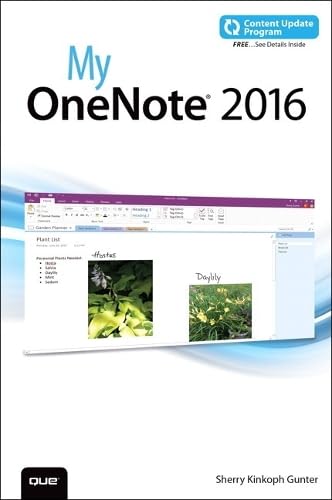
My OneNote 2016 (includes Content Update Program)
Regular price
Checking stock...
Regular price
Checking stock...
Summary
My OneNote helps will help students master this mighty app quickly and demonstrate its true versatility, in full color! My OneNote covers the many features of OneNote in a user-friendly, easy-to-read style.
The feel-good place to buy books
- Free delivery in Australia
- Supporting authors with AuthorSHARE
- 100% recyclable packaging
- Proud to be a B Corp – A Business for good
- Buy-back with Ziffit

My OneNote 2016 (includes Content Update Program) by Sherry Kinkoph Gunter
If you’re currently a OneNote user or thinking about upgrading to the latest version, My OneNote 2016 is your must-have companion. This friendly, quick, full-color, 100% practical tutorial walks you through the various tasks for building your own digital notebooks and filling them with notes, ideas, resources, artwork, lists, and more. If you’re ready to organize your note-taking projects, then My OneNote 2016 is ready to help. In addition, this book is part of Que’s Content Update Program. As Microsoft updates features of OneNote 2016, sections of this book will be updated or new sections will be added to match the updates to the software. The updates will be delivered to you via a FREE Web Edition of this book, which can be accessed with any Internet connection. My OneNote 2016 is an easy, full-color tutorial on the latest personal information management program from Microsoft, which covers the following topics: Start fast with OneNote on your computer, laptop, or smartphone Customize OneNote to your personal note-taking style Create, manage, and edit notebooks Organize notes into sections, pages, and subpages Quickly add and create content, including audio and video clips and photos Search, tag, and index your notes so you can find anything fast Share notes and notebooks with colleagues--even in real time Build outlines, tables, and spreadsheets in your note pages Draw pictures and handwrite text--or even equations Research and clip web content into your notebooks Add links to files, web pages, and other notebooks Store notebooks in the cloud and access them anywhere Synchronize notebooks you’ve shared Open notebooks using the OneNote Online web app Every task is presented step-by-step, using carefully annotated, colorful screenshots, all numbered so there's no chance of getting lost or confused. Everything's clearly organized in modular, self-contained chapters designed to help you get started quickly. Throughout, the book is packed with helpful tips, lists, and quick solutions to the problems you're most likely to encounter. How to access the Web Edition: Follow the instructions in the book to learn how to register your book to access the FREE Web Edition.
Sherry Kinkoph Gunter has written and edited oodles of books over the past 23 years covering a wide variety of computer topics, including Microsoft Office programs, social media, digital photography, and web applications. Her recent titles include Sams Teach Yourself Facebook, Absolute Beginner’s Guide to Word 2013, and My Google Apps. Sherry began writing computer books back in 1992, and her flexible writing style has allowed her to author for a varied assortment of imprints and formats. Sherry’s ongoing quest is to aid users of all levels in the mastering of ever-changing computer technologies, helping users make sense of it all and get the most out of their machines and online experiences. Sherry currently resides in a swamp in the wilds of east central Indiana with a lovable ogre and a menagerie of interesting creatures.
| SKU | Unavailable |
| ISBN 13 | 9780789755209 |
| ISBN 10 | 0789755203 |
| Title | My OneNote 2016 (includes Content Update Program) |
| Author | Sherry Kinkoph Gunter |
| Condition | Unavailable |
| Binding Type | Paperback |
| Publisher | Pearson Education (US) |
| Year published | 2015-12-14 |
| Number of pages | 352 |
| Cover note | Book picture is for illustrative purposes only, actual binding, cover or edition may vary. |
| Note | Unavailable |