My Windows 11 Computer for Seniors by Michael Miller
My Windows 11 Computer for Seniors
Easy, clear, readable, and focused on what you want to do
Step-by-step instructions for the tasks you care about most
Large, full-color, close-up photos show you exactly what to do
Common-sense help whenever you run into problems
Tips and notes to help you do even more
Over the years, you've learned a lot. Now, learn Windows 11!
We've brought together all the Windows 11 skills you need to stay connected and safe, express your creativity, find new passions, and live a better, healthier life. Our crystal-clear instructions respect your smarts but never assume you're an expert. Big, colorful photos on nearly every page make this book incredibly easy to read and use!
* Get started with Windows 11, whether you're experienced with computers or not
* Learn all that's new and different in Windows 11, including the new taskbar and Start menu
* Reliably connect to the Internet, both at home and away
* Explore the Web with the Microsoft Edge browser and Google Search
* Make and receive video and voice calls with Microsoft Teams and Zoom
* Send and receive email with the Windows Email app
* Shop safely online and avoid online scams
* Find, install, and use the best Windows apps
* Connect your phone to your PC to text, make calls, and share photos
* Stay connected with friends and family on Facebook, Pinterest, and Twitter
* Store, touch up, and share your pictures
* Keep track of all your files and folders
* Watch streaming TV shows and movies and listen to streaming music on your PC
* Configure Windows 11 to work better for those with vision and physical challenges
* Fix common PC problems and manage Windows updates
You might also like
Windows 11 For Dummies, 2nd Edition
Linux

Linux Pocket Guide
Linux All-In-One For Dummies
Windows 10 for Seniors in easy steps

Systems Performance

Mastering PowerShell Scripting

The Ultimate Kali Linux Book
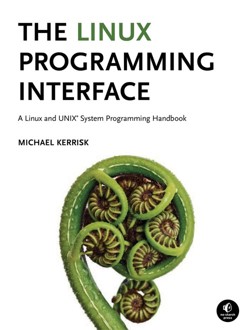
The Linux Programming Interface

Learning eBPF
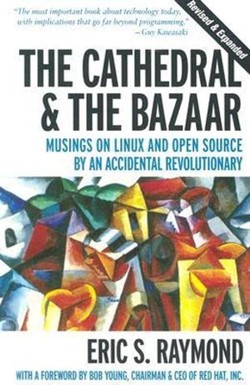
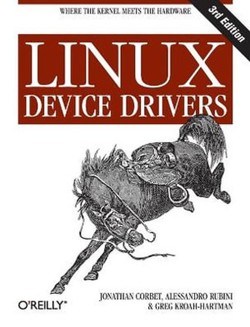
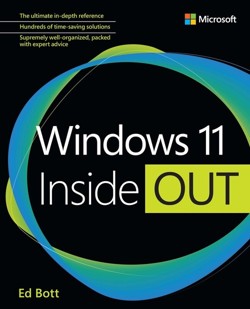
Windows 11 Inside Out

macOS Tahoe For Dummies
Understanding UNIX/LINUX Programming
-
 My Google Chromebook
-
 My iPad for Seniors
-
 My Social Media for Seniors
-
 My Windows 10 Computer for Seniors
-
 My iPhone for Seniors (covers all iPhone running iOS 14, including the new series 12 family)
-
 My iPad
-
 My Samsung Galaxy S7
-
 My Rocking Horse
-
 My Facebook for Seniors
-
 My Internet for Seniors
-
 My Samsung Galaxy S6 for Seniors
-
 My DROID
-
 Me and My Mask
-
 My TV for Seniors
-
 My Little Seal
-
 My eBay for Seniors
-
 My Smart Home for Seniors
-
 My Online Privacy for Seniors
-
 My Excel 2016
-
 My PowerPoint 2016
-
 My Windows 10 Tablet
-
 My Windows 10 (includes video and Content Update Program)
-
 My macOS
-
 My iPhone


Michael Miller is a prolific and popular writer of more than 200 nonfiction books who is known for his ability to explain complex topics to everyday readers. He writes about a variety of topics, including technology, business, and music. His best-selling books for Que and AARP include My Video Chat for Seniors, My iPad for Seniors, My TV for Seniors, My Social Media for Seniors, My Facebook for Seniors, My Smart Home for Seniors, My Internet for Seniors, and My eBay for Seniors. Worldwide, his books have sold more than 1.5 million copies.
Find out more at the author's website: www.millerwriter.com
Follow the author on Twitter: @molehillgroup
| SKU | Unavailable |
| ISBN 13 | 9780137841707 |
| ISBN 10 | 0137841701 |
| Title | My Windows 11 Computer for Seniors |
| Author | Michael Miller |
| Series | My |
| Condition | Unavailable |
| Binding Type | Paperback |
| Publisher | Pearson Education (US) |
| Year published | 2022-05-12 |
| Number of pages | 416 |
| Cover note | Book picture is for illustrative purposes only, actual binding, cover or edition may vary. |
| Note | Unavailable |
Customers who bought this item also bought
Windows 11 For Dummies, 2nd Edition
Linux
Linux Pocket Guide
Linux All-In-One For Dummies
Windows 10 for Seniors in easy steps
Systems Performance
Mastering PowerShell Scripting
The Ultimate Kali Linux Book
The Linux Programming Interface
Learning eBPF
Windows 11 Inside Out
macOS Tahoe For Dummies
Understanding UNIX/LINUX Programming
Windows 11 Simplified
Wicked Cool Shell Scripts, 2nd Edition

Linux in Action
Mac OS X Leopard: The Missing Manual
In the Beginning...Was the Command Line
Unix
Murach's Mainframe COBOL
Classic Shell Scripting
Efficient Linux at the Command Line
Exploring iPad Pro

Red Hat RHCSA 9 Cert Guide

Ubuntu Linux Unleashed 2021 Edition
Linux in easy steps
BPF Performance Tools



Windows 7 For Seniors For Dummies

Apple Watch For Dummies

Understanding Linux Network Internals