Visual Basic 2015 in 24 Hours, Sams Teach Yourself by James Foxall
In just 24 sessions of one hour or less, you’ll learn how to build complete, reliable, and modern Windows applications with Microsoft® Visual Basic® 2015. Using a straightforward, step-by-step approach, each lesson builds on what you’ve already learned, giving you a strong foundation for success with every aspect of VB 2015 development.
Notes present interesting pieces of information.
Tips offer advice or teach an easier way to do something.
Cautions advise you about potential problems and help you steer clear of disaster.
Learn How To
- Master VB 2015 by building a complete feature-rich application
- Navigate VB 2015 and discover its new shortcuts
- Work with objects, collections, and events
- Build attractive, highly-functional user interfaces
- Make the most of forms, controls, modules, and procedures
- Efficiently store data and program databases
- Make decisions in code
- Use powerful object-oriented techniques
- Work with graphics and text files
- Manipulate filesystems and the Registry
- Add email support
- Create efficient modules and reusable procedures
- Interact effectively with users
- Write code to preview and print documents
- Debug with VB 2015’s improved breakpoint features
- Distribute your software
Download all examples and source code presented in this book from informit.com/title/9780672337451 as they become available.
Who Should Read This Book
Those who have little or no programming experience or who might be picking up Visual Basic as a second language.
Bug Alert
Description: Changing the startup form's name in a VB WinForms app does not update the "Startup form" #4517
Explanation: In the latest Visual Basic update on GitHub, Microsoft accidentally introduced a significant bug that you should be aware of. In the Visual Basic project properties dialog on one of the tabs (Application), is a drop down box for selecting the "startup object". This can be either a Main method or a System.Windows.Forms instance (or System.Windows.Window for WPF). When you do a rename on a form (say from the code editor in source or from the solution explorer) currently set as the startup form the rename doesn't cascade to the startup object project property cause the project to enter an invalid state where the user must now manually reset this project property from the now nonexistent Form to the new name. This is a huge annoyance.
The fix for the bug (until Microsoft addresses) can be found here:
http://www.jamesfo
You might also like

Functional Programming in Scala

The Staff Engineer's Path
The Rust Programming Language, 3rd Edition
Agile practice guide

Vibe Coding
Coding All-in-One For Dummies
Grokking Algorithms
-
 SQL in 10 Minutes, Sams Teach Yourself
-
 HTML, CSS and JavaScript All in One, Sams Teach Yourself
-
 HTML, CSS, and JavaScript All in One
-
 SQL in 10 Minutes a Day, Sams Teach Yourself
-
 C++ in One Hour a Day, Sams Teach Yourself
-
 Python in 24 Hours, Sams Teach Yourself
-
 Unreal Engine 4 Game Development in 24 Hours, Sams Teach Yourself
-
 Java in 24 Hours, Sams Teach Yourself (Covering Java 9)
-
 Sams Teach Yourself Java in 21 Days (Covers Java 11/12)
-
 Unity Game Development in 24 Hours, Sams Teach Yourself
-
 Sams Teach Yourself C# in 21 Days
-
 C Programming in One Hour a Day, Sams Teach Yourself
-
 Java in 21 Days, Sams Teach Yourself (Covering Java 8)
-
 SQL in 24 Hours, Sams Teach Yourself
-
 Windows PowerShell in 24 Hours, Sams Teach Yourself
-
 Bootstrap in 24 Hours, Sams Teach Yourself
-
 Sams Teach Yourself Google Analytics in 10 Minutes
-
 Beginning Programming in 24 Hours, Sams Teach Yourself
-
 Sams Teach Yourself SQL in One Hour a Day
-
 C++ in 24 Hours, Sams Teach Yourself
-
 Sams Teach Yourself Game Programming in 21 Days
-
 Sams Teach Yourself Regular Expressions in 10 Minutes
-
 Sams Teach Yourself Node.js in 24 Hours
-
 Responsive Web Design in 24 Hours, Sams Teach Yourself
-
 Apache Spark in 24 Hours, Sams Teach Yourself
-
 Teach Yourself Visual Basic 3 in 21 Days
-
 Swift in 24 Hours, Sams Teach Yourself
-
 Teach Yourself Photoshop in 14 Days
-
 HTML, CSS & JavaScript Web Publishing in One Hour a Day, Sams Teach Yourself
-
 Unity 2018 Game Development in 24 Hours, Sams Teach Yourself
-
 PHP, MySQL & JavaScript All in One, Sams Teach Yourself
-
 Godot Engine Game Development in 24 Hours, Sams Teach Yourself
-
 Sams Teach Yourself C# 5.0 in 24 Hours
-
 Teach Yourself Borland C++ 4.5 in 21 Days
-
 Sams Teach Yourself ANSI C++ in 21 Days
-
 Teach Yourself CGI Scripting in a Week
-
 Sams Teach Yourself C++ in 21 Days
-
 Teach Yourself C in 21 Days
-
 Sams Teach Yourself Dreamweaver CS5 in 24 Hours
-
 Sams Teach Yourself Adobe LiveMotion 2 in 24 Hours
-
 Sams Teach Yourself Windows 95 in 24 Hours
-
 Sams Teach Yourself Computer Basics in 24 Hours


James Foxall is President & CEO of Tigerpaw Software, a commercial software company providing complete business automation to more than 40,000 users in 28 countries in the IT/Networking, Telecommunications, Systems Integrator, Security, and Point of Sale industries. In his current role as President and CEO, James provides the vision and management to keep Tigerpaw focused on its customers and properly serving its markets.
James has a Masters degree in Business Administration and a BS degree in Management of Information Systems. Devoted to creating better businesses through technology, James has written 15 books, which have been published in over a dozen languages around the world. He is considered an authority on business process improvement and application interface and behavior standards of Windows applications, and serves the business community as an international speaker on automating business processes in the SMB environment.
| SKU | Unavailable |
| ISBN 13 | 9780672337451 |
| ISBN 10 | 0672337452 |
| Title | Visual Basic 2015 in 24 Hours, Sams Teach Yourself |
| Author | James Foxall |
| Series | Sams Teach Yourself |
| Condition | Unavailable |
| Binding Type | Paperback |
| Publisher | Pearson Education (US) |
| Year published | 2015-08-20 |
| Number of pages | 608 |
| Cover note | Book picture is for illustrative purposes only, actual binding, cover or edition may vary. |
| Note | Unavailable |
Customers who bought this item also bought
Functional Programming in Scala
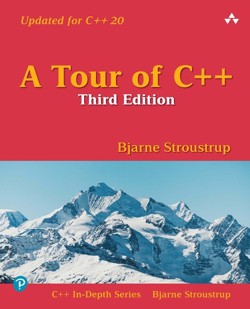

The Staff Engineer's Path
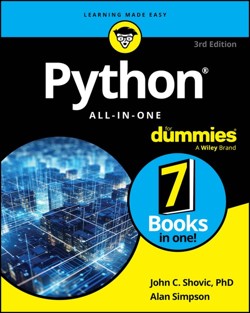
Python All-in-One For Dummies
Agile practice guide
Vibe Coding
Coding All-in-One For Dummies
Grokking Algorithms
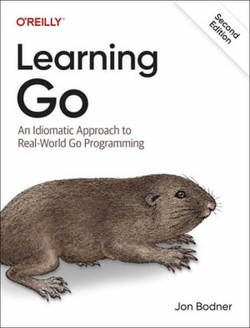
Programming Rust
Site Reliability Engineering
Learning Domain-Driven Design
Think Like a Programmer
Theory of Fun for Game Design

User Story Mapping
C Programming
Designing Games
Programming TypeScript
C++ Programming Language
Rust for Rustaceans
Software Engineering at Google
The Missing README
JavaScript

The Go Programming Language, The
Refactoring


Kill It With Fire